
Official Guide — Evoxup Client 1.0.0
Evoxup Templates and Media inside WordPress & Elementor
A practical guide to installing Evoxup, browsing every content tier, importing FREE assets, activating PRO or SUPER STAR access, using the media library, and searching templates and media efficiently.

What is Evoxup?
Evoxup connects a WordPress site to the Evoxup template and media repository. Users can browse FREE, PRO, and SUPER STAR content, while access checks are applied only when protected content is imported or inserted.
Template Catalog
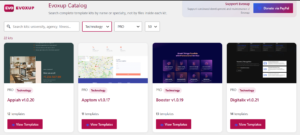
Search, filter, preview, and insert the selected Elementor template without downloading a complete Kit ZIP package to WordPress.
Evoxup Library
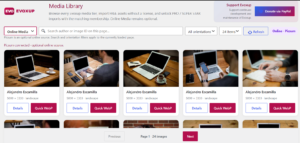
Images, icons, backgrounds, arrows, banners, and buttons with search, categories, filters, formats, and pagination.
Upgrade without hiding content
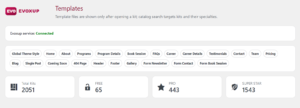
All tiers remain visible. Membership controls what a user can import, allowing higher-tier assets to be previewed before upgrading.
Installation
How access tiers work
Browsing and importing are separate. Everyone can see all content, while the import/insert action determines whether the current account has access or needs an upgrade.
| User status | Can browse | Can import/insert | License required? |
|---|---|---|---|
| FREE | FREE + PRO + SUPER STAR | FREE | No for FREE content |
| PRO | FREE + PRO + SUPER STAR | FREE + PRO | Yes for PRO content |
| SUPER STAR | FREE + PRO + SUPER STAR | FREE + PRO + SUPER STAR | Yes for protected content |
Using the Template Catalog
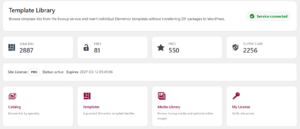
Search and filters
Search by template name or niche, then filter the tier to ALL, FREE, PRO, or SUPER STAR. Additional specialty filters may also be available.
The catalog uses the repository index, so normal browsing and searching do not require opening Kit ZIP files.
Inserting a template
Open a Kit, select the required template, and use the insert action. FREE templates can be inserted without a license. PRO and SUPER STAR templates require Evoxup to verify the applicable membership before protected template data is delivered.
Evoxup Media Library
Inside the WordPress Add Media window, Evoxup Library is available as a primary media source, with Online Media as an optional secondary source. The library is designed to remain fast as it grows to thousands of assets.
Search
Searches indexed metadata instead of scanning original files on every request.
Filters
ALL / FREE / PRO / SUPER STAR, plus Type, Category, and Format filters.
Pagination
Only the requested page is loaded, preventing thousands of images from being loaded at the same time.
Supported media types
The library can include images, icons, backgrounds, arrows, banners, and buttons, with JPG, PNG, and GIF support. Evoxup imports the original asset, preserving PNG transparency and GIF animation.
Using Evoxup inside Elementor
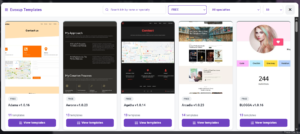
When Elementor is active, Evoxup adds a workflow for browsing repository templates and inserting them into the editor. The WordPress site does not need to receive an entire Kit ZIP file; Evoxup requests only the selected template data and handles the required media through WordPress.
Licensing

The Evoxup Client does not issue licenses. Membership and license issuance are handled by the Evoxup service, while the plugin stores and verifies the license when protected content is requested.
FREE content requires no license. PRO content requires PRO or SUPER STAR access. SUPER STAR content requires SUPER STAR access.
External services and privacy
Evoxup uses the evoxup.com service to provide catalog data, previews, media, template data, and access verification for protected content. Requests may include the site URL and Evoxup Client version. When protected content is verified, the configured license key may also be sent.
The optional Online Media tab uses Lorem Picsum as an external media source. Your Evoxup license key is not sent to Picsum.
Privacy: https://evoxup.com/privacy-policy/ — Terms: https://evoxup.com/terms/
Troubleshooting
I see 0 items when filtering by PRO or SUPER STAR
Make sure the repository index actually contains items assigned to that tier. If the media library is organized into Free, pro, and super star folders, rebuild the media index after changing files or tier assignments.
I can see an asset but cannot import paid content
This is expected when the required membership is not active. Browsing is available to everyone, while importing follows the user’s membership tier.
Do I need a license to use FREE media?
No. FREE assets can be imported without a license.
Why is a complete Kit ZIP not downloaded to WordPress?
This is intentional and helps reduce transfer size and overhead. The repository keeps the package and WordPress receives only the data needed for the selected template.
What information should I provide when requesting support?
Provide the Evoxup version, WordPress version, PHP version, Elementor version when relevant, and the visible error message. Do not send passwords or repository administration keys.
Repository manager notes: organizing the media library
This section is intended for the Evoxup site owner or repository manager and is not required for end users.

Updating the media index
After adding, modifying, moving, or deleting media files, run the media index builder. Incremental indexing reuses metadata and thumbnails for unchanged files instead of rebuilding the entire library from scratch.